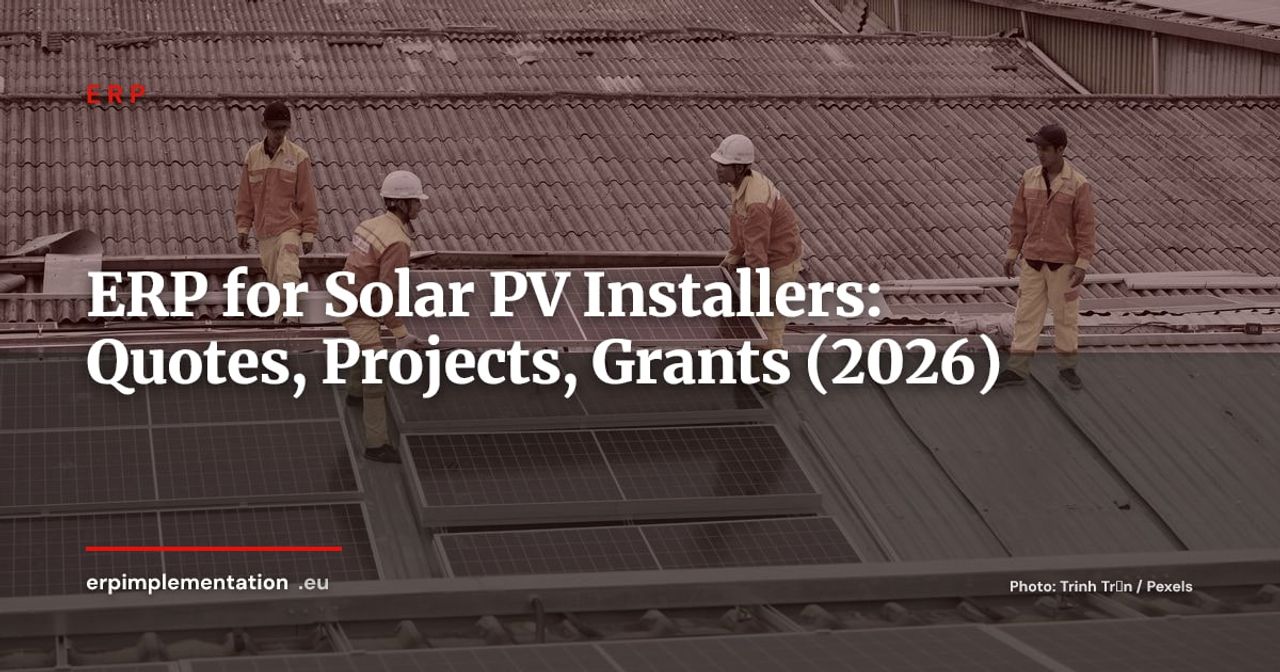
A solar PV or energy renovation installer does not just sell panels, heat pumps or insulation. They sell a file: a compliant quote, a job carried out by a qualified company, supporting documents for the grants, invoicing split into stages and, often, aftercare. Every link in that chain can tie up cash or, worse, put the payment of a grant at risk. For the owner or finance director of a company with 10 to 200 employees, the question is therefore not “which quoting tool?” but “which system holds together the lead, the job, the grant file and the cash?”
This article is for installers and energy renovation contractors (residential and small commercial). It does not cover power producers that operate solar or wind farms: for that investor-side topic, see our guide to ERP for renewable energy producers (IPP, solar, wind).
A note on grants: the schemes discussed here are French (MaPrimeRénov’, CEE energy savings certificates, VAT rates). They change frequently. This article describes management logic and points to official sources. Check the conditions in force at the date of your project on the pages cited. Reference version: November 2026. Installers in other EU countries face the same structural problem with different schemes (feed-in tariffs, renovation bonuses, white certificates in Italy, and so on): the ERP requirements below carry over.
A thin-margin business with heavy paperwork
Three characteristics shape the trade and explain why a simple invoicing tool is not enough.
Margin exposed on several fronts. The price of components (modules, inverters, batteries, heat pumps) moves, supplier lead times do too, and the signed quote freezes a selling price. The gap between the initial estimate and the real cost of the job comes straight out of margin.
A customer who is partly financed by grants. Homeowners and small businesses decide based on what is left to pay. The grant is therefore a sales argument, but also a risk: if the file is incomplete, the grant can be refused or reduced, and the installer has to deal with the commercial fallout.
Compliance that conditions revenue. For grants, the company’s qualification matters. The official pages explain that, for MaPrimeRénov’, the company carrying out the works must hold the RGE qualification (France’s “recognised environmental guarantor” label) in its field, assessed when the application is made (government overview of the scheme). For CEE (energy savings certificates), the Ministry for Ecological Transition describes the scheme and its players on its dedicated page. An ERP therefore has to know which qualification covers which job, and on what date.
The consequence for your information system: sales, purchasing, site work, grants and finance must be linked in a single file, with a history that stands up to an inspection.
From lead to quote: configurator, studies, materials costing
The cycle starts before the quote. Leads come from websites, referral partners, platforms, canvassing or prescribers. The first criterion is therefore CRM integration.
- Lead qualification: type of building, current heating energy, roof, planned capacity, the customer’s status with regard to grants. This data should feed the quote, not be re-keyed.
- Lead source and acquisition cost: without it, you cannot calculate real profitability by channel. Conversion rate by source becomes a management indicator (see the last section).
- Configurator and product library: a PV quote assembles modules, inverter, mounting structure, cabling, protection box, labour and grid connection costs. Kits and variants must be managed as bills of materials, with a cost price recalculated from the latest supplier prices.
- Technical studies: production simulation, roof study, site survey. The study file must stay attached to the project, because it later justifies the sizing.
- Quote wording and attachments: a quote intended for a grant file carries specific mentions (equipment references, company qualification). The guides for professionals published by the Anah (the French housing agency), relayed by trade bodies, detail these requirements; the ERP should build them into the quote template rather than leave each salesperson to improvise.
For the choice between a native ERP CRM and a dedicated one, see our analysis of native ERP CRM vs dedicated CRM (Salesforce, HubSpot) and the CRM-ERP integration architecture guide.
Purchasing and stock: panels, inverters, price volatility, supplier lead times
Buying solar equipment has its own traps.
Price volatility. The price of a module or inverter can change between quote signature and order. Two practices to equip: stock reservation (equipment is allocated to a signed job) and cost price updates whenever a new supplier price list arrives, with an alert when the forecast margin of an open quote drops below a threshold.
Supplier lead times. The job schedule depends on the availability of specific components (a given inverter, a battery). The ERP must reconcile promised delivery date, planned installation date and the commitment made to the customer. Our guide to the supplier scorecard (OTIF, lead time) offers methods that apply to equipment distributors.
Component traceability. Serial numbers of modules and inverters, batch, delivery date, supplier. This data is used three times: for the manufacturer warranty, for monitoring and for a possible product recall. If it is not captured at delivery or installation, it is lost.
Dormant stock and depots. A multi-branch installer often runs several depots and van stocks. Transfers, cycle counts and returns from site must be tracked, otherwise equipment “disappears” into the job margin.
Site work: crew scheduling, subcontracting, progress, snagging
An installer’s job is short (a few days for a residential installation) but highly repetitive. The challenge is cadence and documented quality.
- Crew scheduling: assigning installers, electricians and roofers, with management of certifications and of the crew’s or company’s RGE qualification. The ERP should prevent assigning to a grant-funded job a crew whose qualification does not cover that type of work.
- Subcontracting: many installers subcontract installation, roofing or the electrical connection. The file must hold the contract, the certificates (insurance, qualification) and payment tracking. The subcontractor’s qualification can affect grant eligibility: check against the texts in force.
- Progress: percentage complete by work package (supply, installation, commissioning). This is what triggers progress invoicing and deposits.
- Mobile: crews enter photos, readings, signatures and serial numbers on a tablet or smartphone on site, sometimes offline.
- Snagging and sign-off: handover report, any snags, date they are cleared. Until snags are cleared, the final invoice balance is often disputed.
The neighbouring construction sector has already formalised these needs. Our construction ERP guide covers job costing, progress billing and retention, which transfer largely to energy renovation.
Grant and CEE files: supporting documents, payment delays, cash impact
This is the sector’s differentiating core, and the point where generic ERPs show their limits.
What the ERP must handle in a grant file
Without claiming to be exhaustive (the rules change), a grant or CEE file typically involves:
- the signed quote, dated before work starts where the scheme requires it;
- the identity and situation of the beneficiary (supporting documents, sometimes income level for certain grants);
- the technical references of the installed equipment (brand, model, performance);
- the company’s RGE qualification on the relevant date;
- the sworn statement / completion certificate, the invoice and proof of completion (photos, readings);
- any power of attorney given to the installer or to an agent to file the application on the customer’s behalf. The government site states that using an agent is not mandatory but that they can file the application on behalf of the household (MaPrimeRénov’ agent page).
CEE: the premium is not a flow like any other
The energy savings certificate scheme rests on an obligation placed on energy suppliers (the “obligated parties”), who can buy certificates from players that have carried out energy-saving operations (Ministry for Ecological Transition). For the installer, this means a contractual relationship with an obligated party, a delegate or an aggregator, with its own document requirements and its own payment delays. The ERP must therefore:
- attach each job to a CEE valuation contract and a standardised operation sheet;
- track the file status (in preparation, filed, complete, in anomaly, validated, paid);
- manage anomalies: one missing document can block a payment for several weeks;
- distinguish the CEE premium paid to the customer (deducted from the invoice) from the one paid to the installer, because the accounting treatment and the risk differ.
Traceability for audits
Public grants can be inspected after the fact. For each file the ERP must keep: quote version, documents, filing dates, exchanges, and the identity of the user who validated each step. This audit trail is covered in our (French-language) article on ERP audit trails and legal retention obligations (the principles carry over, even though the frameworks cited differ). In practice, a file must be reconstructable in minutes, not after days of digging through mailboxes.
Cash impact: advancing the grants
The installer often finances equipment and labour before receiving the grant, or advances the share deducted from the customer’s invoice. Depending on the scheme, some advances or deposits exist for the beneficiary (for example, the government site describes an advance meant to fund the deposit on works under MaPrimeRénov’), but they do not systematically resolve the company’s cash gap. You need to model:
- the delay between job completion and receipt of the grant (by type of grant and by partner, measured on your own history);
- the share of revenue awaiting a grant at any moment;
- the risk of refusal or reduction, with a prudent provision.
These three elements form a cash dashboard the finance director should check every week. An ERP that does not isolate them leaves the company flying blind.
Invoicing: deposits, progress billing, reduced VAT, grid connection
An installer’s invoicing combines several logics.
Deposits and progress billing. Deposit at order, invoice on equipment delivery, balance at commissioning. Each instalment must be tied to a job milestone, not to an arbitrary date.
Reduced VAT. The applicable rate depends on the type of works, the nature of the dwelling and, for photovoltaics, the capacity. The tax administration’s site indicates, for example, that a 5.5% rate applies, from 1 October 2025, to the supply and installation of PV panels of 9 kWp or less in dwellings, under conditions (economie.gouv.fr, solar panel installation). Detailed conditions are set out in the tax doctrine (BOFiP). For the ERP this means VAT set per quote line, reduced-VAT certificates kept with the file, and an automatic check of capacity and type of premises before applying the rate.
Grid connection. Connection fees, dealings with the network operator and any resale of surplus create specific lines, sometimes invoiced by a third party. You must decide whether they are re-invoiced to the customer, built into the price or left to the customer, and reflect that clearly in the quote and the margin.
E-invoicing. The French B2B e-invoicing reform requires changes to formats and platforms; an installer who invoices business customers must make sure the ERP is ready (see our review of the first month of e-invoicing in France).
Aftersales, manufacturer warranties, post-installation monitoring
The contract does not end at commissioning. An inverter or battery stays under manufacturer warranty for years, and the installer is the customer’s contact when something fails.
- Register of installed equipment by site and customer: reference, serial number, commissioning date, warranty end.
- Manufacturer warranty management: service request, return of equipment, replacement, possible re-invoicing. The process is covered in our guide to ERP warranty management, RMA and repairs.
- Monitoring: many installations are tracked via the inverter manufacturer’s platform. Integrating all monitoring into the ERP is rarely realistic; the point is to automatically create a service ticket from an alert and attach it to the right piece of equipment.
- End of life of components: anticipating replacement of an inverter or battery, and handling of equipment waste. It is also a source of maintenance and replacement offers, hence recurring revenue.
- Maintenance contracts: recurring invoicing, scheduled visits, renewal.
Management: margin per job, working capital, conversion rate
An ERP is worth the decisions it enables. Five indicators structure an installer’s management.
- Margin per job: selling price minus real cost (materials, labour, subcontracting, travel, file handling costs), compared with the quote. The variance should show as soon as the job ends, not at year-end close.
- Working capital tied up in grants: amount of grants receivable, age of these receivables, share of files in anomaly.
- Conversion rate: quotes sent / quotes signed, by lead channel, by salesperson, by type of offer.
- Delay from signed quote to commissioning: it weighs on cash, since revenue is recognised and collected later.
- Rework rate and aftersales cost: jobs revisited, time spent under warranty, replacements.
These indicators must be computed on reliable data: if crews log hours and materials late, margin per job stays theoretical. Our guide to ERP business intelligence and reporting shows how to structure this management.
Comparison: general job-costing ERP vs vertical solutions
There is no perfect solution. Here are the main families, without ranking vendors, because offers change fast and must be assessed in a demo.
| Criterion | General ERP / construction job costing | Vertical renewables / energy renovation solution | ERP + CRM + integrated specialist tools |
|---|---|---|---|
| PV quote / configurator | To configure or complement | Usually native | Depends on the quoting tool chosen |
| Grant and CEE files | Little or not covered | Often a strength, to verify | Dedicated tool connected |
| Financial and accounting management | Strong | Sometimes limited | Strong (ERP) |
| Site work, progress billing, subcontracting | Strong (construction) | Variable | Depends on the ERP |
| Multi-branch scalability | Good | To verify | Good |
| Integration cost | High in configuration | Lower at the start | High in interfaces |
| Main risk | Missing industry functionality | Limits in finance and growth | Complexity, interfaces to maintain |
Recommendation by size (indicative, to validate for your case):
- 10-30 employees: a vertical solution covering quotes, site work and grant files, with a clean accounting export to your accountant’s software, is often enough. Priority: the quality of the grant file.
- 30-100 employees: multiple crews, subcontracting and grant-related working capital justify a more robust finance layer. Two routes: an advanced vertical solution with a solid accounting interface, or a job-costing ERP complemented by a grant-file tool.
- 100-200 employees and above: multiple entities, consolidation, centralised purchasing and audit call for a job-costing ERP connected to a CRM and a grant-file tool. Integration architecture becomes the main topic.
What should decide it: coverage of grant files, the quality of interfaces with accounting, the ability to follow regulatory changes (who updates them, how often, at what cost) and data reversibility.
Project risks and checklist
Frequent risks
- Underestimating grant regulation: a rule that changes without the tool being updated produces non-compliant files.
- Poor-quality data migration: duplicate products, badly qualified customers, incomplete file history.
- Field adoption: if installers do not enter photos and serial numbers, traceability and warranty are compromised.
- Fragile interfaces: CRM, monitoring, grant platforms, accounting. Each interface is a failure point to document.
- Dependence on a niche vendor: check its solidity, support and exit terms.
- Cash management ignored: an ERP that invoices perfectly but does not track grants receivable leaves the main risk intact.
Checklist before choosing
- Does the quote template include the mentions and documents required for the grants you sell?
- Is the RGE qualification tracked by company, by trade and by date?
- Is the status of each grant and CEE file visible, with anomalies?
- Do grants receivable appear in the cash forecast?
- Are serial numbers captured at delivery or installation and linked to warranties?
- Can VAT be configured per line, with certificates retained?
- Is margin per job calculated with real cost, not just budget?
- Can a file be fully reconstructed for an inspection?
- Who updates the regulatory rules, and how often?
- Is integration with your CRM, accounting and monitoring tool demonstrated in a demo, on your cases?
To evaluate two or three solutions side by side, download our ERP evaluation grid: 30 criteria scored out of 100 points, to adapt with your own industry requirements (grant files, site work, aftersales). For help scoping your project or a second opinion on your shortlist, contact us.