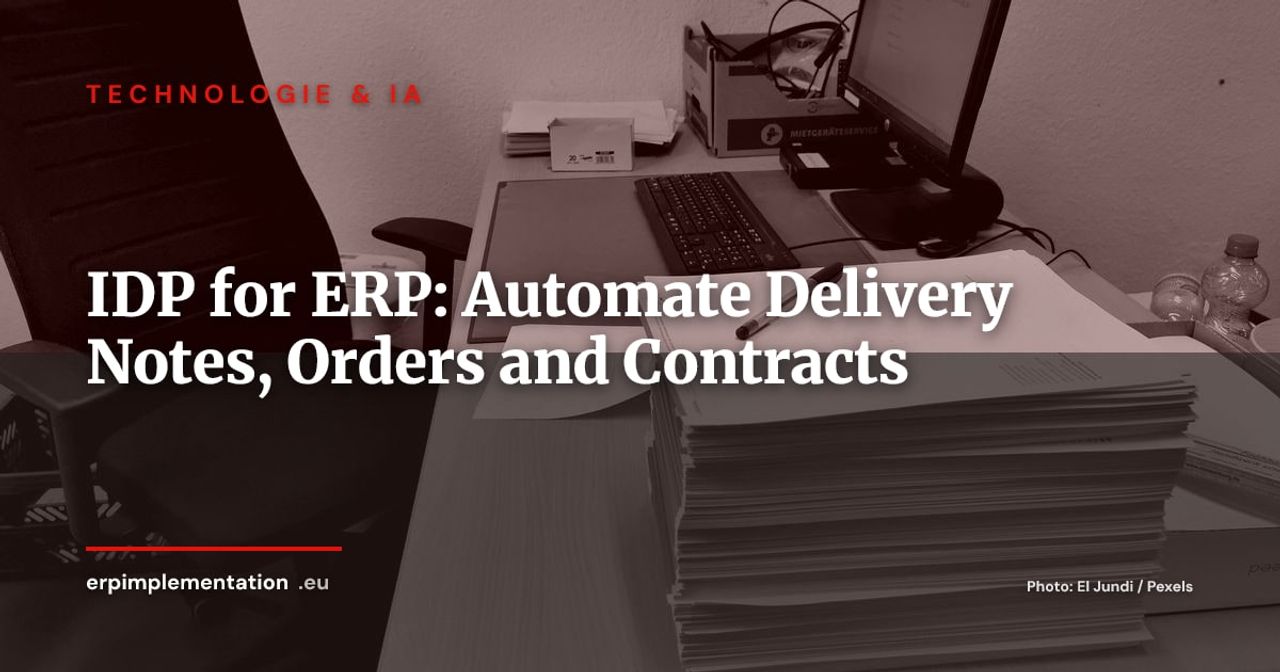
Supplier invoices have had their automation wave. Procurement, logistics and sales are still largely running on manual keying: a delivery note scanned by the warehouse operator, a customer order arriving as a PDF attachment, a contract amendment filed in a shared folder. Each of these documents holds data that belongs in the ERP, and someone is retyping it.
This guide covers intelligent document processing (IDP) connected to your ERP, beyond invoices. For accounts payable, we have already published a dedicated guide to automating supplier invoices with generative AI, which we won’t repeat here. It is written for CIOs, supply chain leaders and CFOs at mid-sized companies with 100 to 2,000 employees.
Why Unstructured Documents Remain the Last Pool of Manual Entry
An ERP is built to receive structured data: an order line, a quantity, a date. Yet a large share of partner exchanges still arrives as documents: native PDFs, scans, smartphone photos, emails with the details buried in the body.
Three reasons explain why this pool persists:
- Partners don’t follow your format. A mid-sized supplier will not move to EDI just to please you. A small trade customer will email an order with a different layout every week.
- The per-document ROI looks small. Keying in a delivery note takes a few minutes. Multiplied by thousands of documents a year across several sites, the cost is real, but it never shows up as a line in any budget.
- Errors are paid for later. A wrongly received quantity surfaces at stocktake; a missed contract renewal surfaces when an unexpected price increase lands.
IDP does not replace EDI. It is the bridge for partners without EDI. If your high-volume flows with a few strategic partners justify a structured channel, our EDI vs REST API guide will help you choose. IDP handles the long tail: everything that arrives as a PDF with no dedicated channel.
OCR, IDP, LLM: What Sets the Three Apart
The terms are often blurred in vendor pitches. Here is a deliberately qualitative reading grid: extraction rates published by vendors vary widely with the document set and cannot be compared from one benchmark to another.
| OCR | IDP | LLM (large language model) | |
|---|---|---|---|
| What it does | Converts pixels into text | Classifies the document, extracts fields, assigns a confidence score | Reads the document in natural language and outputs structured data |
| Suitable documents | Stable templates, good scan quality | Semi-structured documents with layout variations | Loosely structured documents, long texts (contracts), emails |
| Extraction reliability | Good on a known template, poor as soon as the layout changes | Good after training or configuration per document type | Very flexible but variable: can produce a plausible, wrong value |
| Exception handling | None: the field is empty or wrong | Per-field confidence score, review queue | Depends on the controls you build around it (validation, rules, source citation) |
| Cost | Low, often bundled with the DMS | Licence or per-page volume, plus configuration | Per-call cost, plus guardrail engineering |
In practice, current offerings combine all three: OCR at the front, an IDP engine for classification and scoring, and an LLM for unstructured cases. The useful question is not “which technology” but “how does the system behave when it isn’t sure”. We come back to this below.
Four Use Cases Beyond Invoices
Supplier Delivery Notes and Goods Receipt (Three-Way Match)
The delivery note is the document that triggers goods receipt in the ERP. If it is keyed late or incorrectly, matching against the invoice trips over artificial discrepancies. Our guide to three-way matching details tolerances and the GR/IR clearing account: IDP works upstream, feeding the receipt with clean data.
The typical flow: the warehouse operator photographs or scans the note at the dock, IDP identifies the supplier, the purchase order number and the quantities per line, then proposes a pre-filled receipt. The operator only confirms the differences against the order.
Watch points: handwritten or truncated PO numbers, multi-order delivery notes, differing units (pallet versus carton). Matching against the open order in the ERP acts as a control: an extracted PO number that doesn’t exist in the ERP is an exception, not a posting.
Customer Orders Received by Email or PDF (Customers Without EDI)
This is often the use case with the best return. A sales administration team retypes orders every day from emails, translating customer part numbers into your item codes, checking terms, and matching delivery addresses.
The typical flow: a bot reads a dedicated mailbox, IDP extracts the lines, a cross-reference table maps customer part numbers to your items, and the ERP creates a draft sales order. The team only validates unrecognised lines or lines outside agreed terms.
The trap lies in master data: if the part-number cross-reference table doesn’t exist, IDP will flawlessly extract a code the ERP cannot resolve. That workstream is the real prerequisite.
Contracts and Amendments (Dates, Renewal Clauses, Repository)
Here the LLM contributes most. A contract is a long text with automatic-renewal clauses, notice periods, price indexation and penalties. The goal is not to “understand the contract” but to populate a repository: start date, end date, notice period, renewal clause, revision index, committed amount.
That repository then feeds alerts (expiry in 90 days) and price control in procurement. The golden rule: every extracted data point must come with a quote of the source passage, so that a lawyer or buyer can verify it at a glance. A wrong notice date costs more than manual entry.
Customs Documents and Certificates (CoA, Certificates of Origin)
Certificates of analysis (CoA), certificates of origin, declarations of conformity and transport documents accompany goods in imports and regulated industries. IDP extracts lot numbers, expiry dates, test results and country of origin, and links them to the lot in the ERP.
Two requirements: a consistency check (does the lot number on the certificate exist at receipt?) and retention of the original document attached to the record. Extraction speeds up entry; it does not replace the quality decision.
Integration Architecture: Capture, Extraction, Validation, Write-Back
Whatever the tool, the architecture follows four tiers.
- Capture: dedicated mailbox, scanned folder, mobile app at the dock, upload through a partner portal. The aim is a single entry point per document type, with the original preserved.
- Extraction: document classification, field extraction, per-field confidence score.
- Human validation by exception: a document whose fields all clear the threshold and pass ERP checks goes through untouched. The others enter a review queue, with the document displayed next to the fields to correct.
- Write-back to the ERP: through the vendor’s standard API rather than RPA (a robot clicking through the interface) whenever possible. An API connector respects the ERP’s business rules, returns usable errors and survives screen updates. RPA remains a last resort for systems without an API.
Entry points differ by ERP: OData or BAPI/IDoc in SAP, the external JSON-RPC API in Odoo, Dataverse and the web API in Dynamics 365, REST APIs or vendor connectors in the Sage ecosystem. Before choosing an IDP tool, check that a maintained connector exists for your version, not just for the brand. For document management and archiving, our ERP and DMS guide describes the link between the document and the record.
Confidence Thresholds and the Exception Queue: The Real Project
Vendor demos show flattering extraction rates. The trap is the “95% extraction” that hides 100% review: if 95% of fields are right but you don’t know which ones, an operator has to reread everything. The value comes from the ability to identify the doubtful 5%, not from the average figure.
A few design principles:
- One threshold per field, not per document. A quantity and an item reference are critical; a free-text comment is not.
- Cross-checks against the ERP. The order exists, the supplier is active, line totals are consistent, the date isn’t in the past. These rules catch errors a confidence score cannot see.
- A threshold that moves. Start cautiously (near-systematic review), measure the gap between extraction and human correction, then relax gradually on stable fields and partners.
- An exception queue designed as a product. It must show the document, the reason for the block and the suggested correction. A poorly designed queue cancels out the automation gain.
- Learning from corrections. Every human correction should feed the configuration (new template, new reference mapping), otherwise the same exception comes back every week.
With an LLM, add one simple rule: no value without a source passage. A data point the model cannot tie to an excerpt of the document is treated as absent.
Governance: GDPR, Traceability, Hallucinations, Archiving
- GDPR. Documents contain personal data (contact names, addresses, sometimes signatures). Apply the data minimisation principle of Article 5 and check where the document is processed: an AI service hosted outside the European Union requires a transfer assessment. The text of the regulation also sets out, in Article 22, a framework for decisions based solely on automated processing: keep a human in the loop for acts that bind an individual.
- Processor relationship. The IDP vendor is a processor under the GDPR: contract, record of processing activities, and a commitment not to reuse your documents to train its models.
- Traceability. For every data point written to the ERP, keep the source document, the extracted value, the score, any correction and who made it. That is what lets you answer an auditor.
- LLM hallucinations. A model can produce a plausible value that is absent from the document. Countermeasures: mandatory source passage, cross-checks against the ERP, low temperature, and a test document set replayed with every model or version change.
- Evidentiary archiving. If the document carries evidential weight (contract, certificate), the original must be retained with integrity, time-stamped and linked to the record. Extraction is a data-entry aid; it does not replace the original.
Measuring ROI: KPIs Before and After
Measure the baseline before choosing a tool, on a representative sample covering at least a few weeks. Useful indicators:
| KPI | Definition | Why it matters |
|---|---|---|
| Processing time per document | From arrival to write-back in the ERP | Measures lead time, not just effort |
| Straight-through processing (STP) rate | Share of documents written without human correction | The real automation indicator, not to be confused with extraction rate |
| Correction rate per field | Share of fields corrected during review | Guides configuration |
| Downstream errors | Receipt, price or delivery discrepancies attributable to data entry | Measures real quality |
| Exception queue size and age | Documents awaiting review | Flags a bottleneck |
| Cost per document | Licence, hosting and human review divided by volume | Allows comparison with manual entry |
Full cost includes human review and configuration upkeep, not just the licence. For reference figures, use your own measurements: public averages depend too heavily on industry and document type to serve as the basis for a business case.
An 8-Week Pilot Plan and a Tool Selection Checklist
Weeks 1 and 2: scoping. Choose one document type and one flow (for example, customer orders by email for one sales administration scope). Measure the baseline, build a set of real documents (anonymised if needed) and check the quality of the master data involved.
Weeks 3 and 4: configuration. Set up extraction, the reference cross-reference table, the ERP cross-checks and the API connector in a test environment.
Weeks 5 and 6: parallel run. Process real documents with and without the tool, compare, and adjust thresholds. Human review stays systematic.
Week 7: partial cutover. Switch to validation by exception for the most reliable partners and fields.
Week 8: review. Compare KPIs with the baseline and decide: scale, adjust or stop. A pilot that concludes “no” with numbers is a useful result.
Tool selection checklist:
- Maintained connector for your ERP and your version
- Per-field confidence score, exposed and configurable
- Ergonomic exception queue, with the document next to the fields
- Source passage shown for every extracted value (essential with an LLM)
- Hosting and subprocessing compliant with your GDPR policy
- Exportable audit log
- Languages and formats used by your partners (including poor-quality scans)
- Readable pricing model (per page, per document, per call) with the cost of human review factored in
- Ability to retrain or adjust without going back to the vendor each time
- Exit plan: retrieving your configuration and your data
Going Further
Our ERP evaluation grid (30 criteria on a 100-point scale) helps you check whether your current ERP exposes the APIs this kind of project needs. For the broader picture, also read ERP and DMS: integrating document management with business flows and EDI or REST API: choosing the right channel with your partners.