A well-configured ERP automates many things, but not everything. Manual entry of supplier invoices into SAP, line-by-line bank reconciliation in Sage, copying HR data between HRIS and payroll systems, updating delivery statuses from carrier websites: these repetitive tasks consume hours every week, generate errors, and frustrate teams.
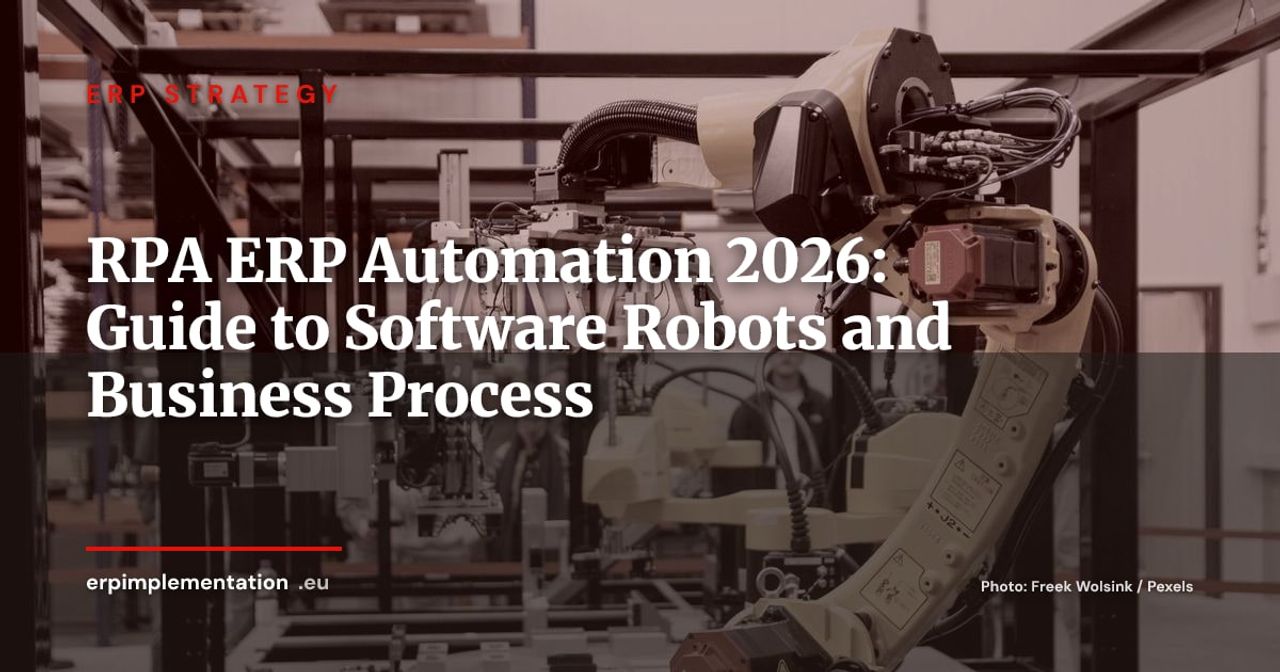
This is precisely the playground of RPA (Robotic Process Automation). A software robot reproduces the clicks, entries, and copy-paste actions that a human performs on the ERP interface, 24/7, without typos, without coffee breaks. The RPA market was valued at $4.68 billion in 2025 and is expected to reach $6.04 billion by 2026, according to Grand View Research, driven by demand for ERP process automation in finance, procurement, and logistics.
But RPA is neither a replacement for ERP nor a silver bullet. Poorly deployed, it produces fragile robots that break with every update. Well-framed, it unlocks measurable productivity gains within weeks. This guide helps you frame the right use of RPA in your ERP environment.
RPA and ERP: Complementary, Not Competitors
What RPA Is (and What It Isn’t)
RPA is an automation technology that reproduces user actions on a software interface. An RPA robot “sees” the screen, clicks buttons, fills fields, copies data from one system to another. It doesn’t modify ERP code, doesn’t touch the database, doesn’t require APIs. It operates on the presentation layer, exactly like a human.
This distinction is fundamental:
- RPA is not integration. It doesn’t replace an API connector or iPaaS. It intervenes where there’s no API, or where the cost of integration development isn’t justified.
- RPA is not AI. A basic RPA robot follows deterministic rules: if field A = value X, then click button B. It “understands” nothing. Recent platforms add AI (OCR, NLP, document classification), but the core remains a rule-based automaton.
- RPA is not an ERP replacement. It compensates for configuration gaps, bridges systems, and automates what ERP doesn’t cover natively.
Why ERP Alone Isn’t Enough to Eliminate All Manual Tasks
Even a recent, well-implemented ERP leaves gray areas:
- Interfaces with legacy systems: the ERP is cloud-based, but customs software or banking platforms only offer web interfaces without APIs. A human must copy data manually.
- Cross-system processes: create a customer in ERP, then create them in CRM, then in external billing tool. Three identical entries, three error risks.
- Unforeseen mass processing: the ERP allows entering one invoice, not importing 200 from a supplier portal in PDF. A robot can do it.
- Exceptions and edge cases: standard ERP workflows cover 80% of cases. The remaining 20% are handled manually, often by experienced operators whose time would be better used elsewhere.
RPA vs iPaaS vs Native API: When to Use What
The choice depends on context. Here’s a simple decision framework:
| Criteria | Native API / Connector | iPaaS (MuleSoft, Boomi, Make) | RPA |
|---|---|---|---|
| Target application has API | Yes | Yes | Not necessary |
| Transaction volume | High (real-time) | High (batch or real-time) | Moderate (batch) |
| Long-term reliability | Very high | High | Medium (depends on UI) |
| Initial cost | Low if connector exists | Medium to high | Low |
| Required skills | Developer | Integrator | Power user / RPA consultant |
| Typical use case | Native ERP-CRM sync | Multi-SaaS orchestration | Manual entry, legacy without API |
RPA is the right choice when there’s no API, when volume doesn’t justify an integration project, or when you need to quickly automate a process while waiting for a more structural redesign. To delve deeper into integration architectures, see our iPaaS and ERP comparison.
The 8 Most Profitable ERP Processes to Automate with RPA
Finance: Supplier Invoice Entry, Bank Reconciliation, Collections
Finance concentrates the majority of RPA use cases in ERP. Three processes stand out for their ROI:
Supplier invoice entry. The robot receives invoices by email or retrieves them from a supplier portal, extracts key data (number, amount, date, supplier) via OCR + AI, and enters them into ERP. According to a Jade Global case study, a semiconductor manufacturer reduced invoice processing time by 90% (from 20 minutes to 2 minutes per invoice) after deploying an RPA bot.
Bank reconciliation. The robot downloads bank statements from the bank’s portal, compares them to accounting entries in ERP, identifies discrepancies, and generates an anomaly report. The accountant only intervenes on exceptions.
Supplier and customer collections. The robot identifies overdue invoices in ERP, generates reminder emails according to a parameterized template, sends them, and logs the action in the third party’s file. A process that took half a day per week is reduced to minutes.
Procurement: Automatic Order Creation on Stock Threshold
The robot monitors stock levels in ERP. When an item falls below the reorder threshold, it automatically creates a supplier purchase order, submits it to the approval workflow, and notifies the buyer. This process is particularly useful for companies managing hundreds of references with long lead times.
Another frequent case: automatic supplier quote comparison. The robot retrieves quotes received by email, extracts prices and conditions, and compiles them into a comparative table integrated into ERP.
HR: Onboarding, Absence Entry, Payroll Synchronization
Onboarding a new employee often involves creating accounts in five or six different systems: ERP, HRIS, messaging, business tools, access badge. A robot can chain these account creations in minutes, where an HR manager spends half a day.
Payroll synchronization is another classic case: the robot retrieves time and absence data from HRIS, formats it according to the payroll software’s expected model, and injects it, reducing re-entry errors that cause incorrect payslips.
Logistics: Carrier Tracking, Delivery Status Updates
The robot connects to carrier portals (UPS, DHL, FedEx), retrieves tracking statuses, and updates corresponding orders in ERP. Customers can thus consult an up-to-date status without the logistics team having to manually update it.
This type of bot is a typical quick win: low complexity to develop, immediate time savings, increased visibility for the end customer.
Comparison of ERP-Compatible RPA Platforms
UiPath: Market Leader, Certified SAP and Oracle Connectors
UiPath is ranked Leader in the Gartner Magic Quadrant for RPA 2025 for the seventh consecutive year, with the highest position in execution capability.
Its SAP integration is particularly advanced. In 2024, SAP integrated UiPath as an official Solution Extension in SAP Build Process Automation, allowing SAP customers to use UiPath bots directly from the SAP environment (SAP News). In June 2025, UiPath and Deloitte launched Customer Zero, an SAP S/4HANA migration program integrating over 200 RPA automations on core processes.
Strengths: largest ERP connector ecosystem (SAP, Oracle, Dynamics, NetSuite), active community, reusable component marketplace, Document Understanding for invoice extraction.
Limitations: premium pricing (starting from several thousand euros per year for Studio + Orchestrator licenses), learning curve for non-technical users.
Microsoft Power Automate: Native Dynamics 365 Integration
Power Automate is the RPA platform integrated into the Microsoft ecosystem. It combines cloud flows (API connections between SaaS) and desktop flows (Desktop Flows) that reproduce user actions on their workstation, including legacy applications without APIs.
For companies on Dynamics 365, integration is native: Power Automate offers pre-built RPA templates to automate recurring tasks in Dynamics 365 Finance (invoice processing, reconciliation, reporting).
2026 Pricing (Microsoft Learn):
- Power Automate Premium: $15/user/month (cloud + attended desktop flows)
- Power Automate Process: $150/bot/month (unattended)
- Power Automate Hosted Process: $215/bot/month (unattended + hosted VM)
Strengths: aggressive pricing, familiar Microsoft environment, Copilot to create flows in natural language, self-healing AI that adapts robots when interface changes.
Limitations: less powerful than UiPath for complex multi-system automations, less mature governance for large-scale deployments (50+ bots).
SAP Build Process Automation: RPA Embedded in SAP Ecosystem
SAP Build Process Automation combines workflows, RPA, and AI in a low-code/no-code environment on the SAP Business Technology Platform (BTP). It’s the native solution for SAP S/4HANA customers who want to automate processes without leaving the ecosystem.
The product manages both bot types:
- Attended: deployed on user’s workstation, manually triggered to assist a task (data verification, form pre-filling).
- Unattended: deployed on server, triggered by schedule or event, for batch processing without human intervention (SAP).
Strengths: native connection to S/4HANA data and processes, no third-party connector needed, UiPath integration available to automate non-SAP processes.
Limitations: only relevant for SAP customers, additional BTP cost on top of S/4HANA licenses, steeper learning curve than Power Automate.
Automation Anywhere and Blue Prism: Mid-Market Alternatives
Automation Anywhere is ranked Leader in the Gartner Magic Quadrant 2024 alongside UiPath and Microsoft. Its cloud-native platform offers connectors for SAP, Oracle, Salesforce, and most major ERPs. Its positioning targets mid-market and enterprise customers with a per-bot pricing model.
SS&C Blue Prism (formerly Blue Prism) was acquired by SS&C Technologies in 2022. The platform remains present in Gartner’s Leaders quadrant. It distinguishes itself through an “enterprise-grade” approach with centralized governance, ideal for large-scale deployments in regulated environments (banking, insurance).
Comparison Table
| Criteria | UiPath | Power Automate | SAP Build | Automation Anywhere |
|---|---|---|---|---|
| Gartner 2025 Positioning | Leader (#1) | Leader | Not separately evaluated | Leader |
| ERP Connectors | SAP, Oracle, Dynamics, NetSuite | Native Dynamics 365, 700+ connectors | Native SAP + UiPath | SAP, Oracle, Dynamics |
| Entry Price | Premium (thousands €/year) | $15/user/month | Included in BTP (variable cost) | Quote-based |
| Attended + Unattended | Yes | Yes | Yes | Yes |
| Integrated AI (OCR, NLP) | Document Understanding | Copilot, self-healing | AI via BTP | IQ Bot |
| Ideal for | Multi-ERP, complex projects | Microsoft ecosystem | SAP customers | Multi-system SMEs |
Implementation Methodology: From POC to Deployment
Identifying and Prioritizing Processes (Effort/Impact Matrix)
Not all processes deserve automation. Good framing starts with an inventory of manual tasks, classified according to two axes:
- Impact: time saved per execution × execution frequency × current error rate.
- Effort: automation complexity (number of screens, number of exceptions, interface stability).
High-impact, low-effort processes are the first candidates. A repetitive bank reconciliation that always follows the same path in ERP is a good candidate. An approval workflow with 15 business exceptions and screens that change with every update is a bad candidate.
4-Week POC: How to Structure an RPA+ERP Pilot
A realistic POC fits in 4 weeks:
- Week 1: process selection, detailed mapping of user journey (every click, every screen, every exception), definition of success criteria (time saved, target error rate).
- Week 2: robot development. Modern platforms (UiPath Studio, Power Automate Desktop) allow building a functional bot in days for a simple process.
- Week 3: testing in staging environment. Robot runs on real data, exceptions are identified and handled.
- Week 4: production deployment on limited scope (one service, one document type), results measurement, adjustments.
Typical POC budget: €10,000 to €25,000, including trial licenses, consulting, and first bot development.
RPA Center of Excellence (CoE) Governance
Beyond 5 to 10 robots in production, governance becomes critical. An RPA Center of Excellence structures practices:
- Bot catalog: centralized repository of all robots, with their scope, business owner, execution frequency, and success rate.
- Development standards: naming conventions, version management, mandatory documentation, code review.
- Monitoring: supervision dashboard (error robots, execution time, unhandled exceptions).
- Maintenance: robot update process after each ERP upgrade. This is the most critical point.
UiPath and Deloitte documented this approach with the Customer Zero program, where an internal CoE deployed and maintained over 200 automations in an SAP S/4HANA migration (UiPath).
Pitfalls to Avoid: Fragile Robots, Maintenance, Shadow IT
UI Fragility. This is RPA’s number one risk. A robot that automates ERP’s user interface breaks as soon as the vendor modifies a button, field, or screen. Each ERP update requires re-testing all affected robots. Recent platforms mitigate this risk with self-healing techniques (Power Automate) and adaptive visual recognition, but the problem remains structural.
Shadow RPA. If IT doesn’t provide an official RPA solution, business units develop their own robots with free or low-cost tools. These ungoverned robots create security risks (hardcoded credentials) and compliance issues (unaudited processing).
Over-automation. Automating a process that changes frequently or has too many exceptions costs more to maintain than to execute manually. The rule of thumb: if the process requires more than 20% exception handling, it’s probably too unstable for RPA.
ROI and KPIs: Measuring RPA Impact on Your ERP
Time Saved, Error Rate, Processing Time
The three fundamental KPIs for measuring RPA bot impact:
- Time saved per execution: difference between human time and robot time for the same process. An invoice entry bot processes a document in 30 seconds where a human takes 5 minutes, a 90% gain.
- Error rate: human entry errors (digit inversion, forgotten fields, wrong third party) disappear with RPA. Case studies document error rate reductions of around 95% (AQL Technologies).
- End-to-end processing time: bank reconciliation that took 2 days at month-end becomes a few hours.
Example: Invoice Entry Bot ROI (Detailed Calculation)
Let’s take a concrete case for an SME processing 500 supplier invoices per month:
| Item | Before RPA | After RPA |
|---|---|---|
| Time per invoice | 15 minutes | 2 minutes (human control included) |
| Total time / month | 125 hours | 17 hours |
| Loaded hourly cost | €45 | €45 |
| Monthly processing cost | €5,625 | €765 |
| Monthly savings | €4,860 | |
| Error rate | 3% (15 invoices/month) | < 0.5% |
| Annual bot cost (license + maintenance) | ~€12,000 | |
| Net annual ROI | ~€46,000 |
Return on investment is achieved in less than 3 months. This calculation doesn’t include indirect gains: reduced supplier disputes, accelerated month-end closing, reallocation of accountants’ time to analysis and management control.
2025-2026 Trend: From RPA to Intelligent Automation
The RPA market is rapidly evolving toward convergence with AI. Gartner analysts note that innovations in generative AI and agentic automation have slowed pure RPA growth in 2024 (14.5% versus rates above 20% in previous years), signaling a transition to hybrid solutions (Gartner Market Share Analysis 2024).
Concretely, this evolution translates to:
- Document Understanding: bots no longer just read fixed fields. They “understand” invoices, purchase orders, and contracts through OCR coupled with NLP, even when format varies between suppliers.
- Process Mining: tools like Celonis or SAP Signavio analyze ERP logs to automatically identify the most profitable processes to automate, replacing manual inventory.
- Agentic AI: the next step. Autonomous AI agents capable of making decisions in ERP workflow, not just executing rules. SAP Joule, Microsoft Copilot, and Odoo already integrate conversational agents in their ERPs. For detailed analysis, see our agentic AI and ERP comparison.
RPA doesn’t disappear, it becomes an execution brick in a broader automation stack. For companies starting today, this is an advantage: start with RPA on simple cases, then scale up to intelligent automation as maturity grows.
Take Action
To validate an RPA automation hypothesis on your ERP, start with a 4-week POC on a target process (invoice entry, bank reconciliation, HR onboarding). Typical budget: €10,000 to €25,000. Result: a concrete measure of time saved and error rate avoided, not a PowerPoint presentation of promises.
To deepen related topics, consult our guide on ERP integration architectures and iPaaS and our low-code in ERP overview.