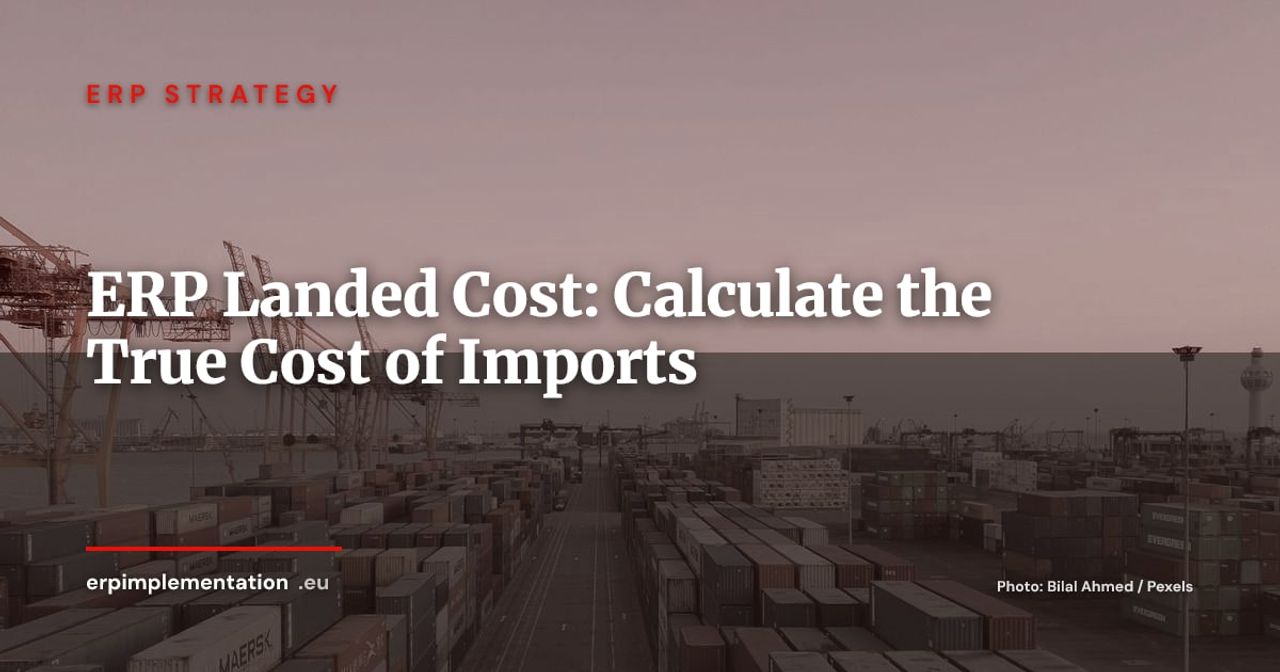
A container of €50,000 worth of goods arrives at the port of Rotterdam. The supplier invoice says €50,000, and that is the amount your ERP booked into inventory at goods receipt. Three weeks later, the freight forwarder, the shipping line, the drayage carrier and customs have each sent their own invoice. Where did those invoices go? In many companies, straight to operating expenses, far from inventory and far from item-level margin.
The result: an understated product cost, an inventory value that flatters apparent margin, and selling prices set on a cost that does not exist. Landed cost (the total cost of getting goods to your warehouse, ready to sell) fixes this by attaching to every item all the costs incurred to bring it in. This guide explains what landed cost contains, how to allocate it, how to configure it in Business Central, SAP and Odoo, and how to control it every month.
1. Why the supplier’s invoice price is not the real cost
The supplier invoice only covers the goods. Between the factory and your dock, you will typically add:
- international freight (sea, air, road) plus pre- and on-carriage;
- transport insurance;
- customs duties and, in some cases, specific levies;
- freight forwarder and customs broker fees (clearance, disbursements, documentation);
- port handling, temporary storage and demurrage;
- exchange rate differences between the order date, the invoice date and the payment date.
Each item looks minor on its own. Together they can represent a significant share of the purchase price, especially for logistically dense products (bulky, heavy, low unit value). The decisive point is both accounting and managerial: a standard such as IAS 2 includes in inventory cost the costs of purchase, including import duties and directly attributable transport costs. A landed cost expensed as incurred is therefore not just an approximation: it is an incomplete inventory valuation.
2. The components of landed cost
Incoterms and the cost boundary
The Incoterm negotiated with the supplier determines who pays what, and up to where. The ICC Incoterms 2020 comprise 11 rules. Three examples are enough to see what is at stake:
- under FOB (Free On Board), the seller delivers the goods on board the vessel at the port of departure: main freight, insurance, import clearance and final delivery are on you, so they belong in your landed cost;
- under CIF, the seller pays sea freight and insurance to the destination port, but risk passes to the buyer at loading. Those costs are then already included in the invoiced price;
- under DDP, the seller bears almost everything, including import clearance: the gap between purchase price and true cost is small.
ERP configuration should therefore start from the order’s Incoterm. It drives the costs to expect (accruals), the costs not to count twice (already in the price) and the point where ownership and risk transfer, which determines whether goods enter stock or in-transit stock. For the customs framework and multi-country flows, see our guide to ERP for international trade, customs and multi-country compliance.
Duties and taxes: customs value versus recoverable VAT
Two notions are often confused:
- Customs duties are calculated on the customs value (in practice, the adjusted transaction price, including freight and insurance up to entry into the customs territory of the Union). They are a cost of purchase: they belong in landed cost.
- Import VAT is, for a taxable business that can deduct it, a receivable from the tax authority and not a cost. It must never feed product cost. If it is non-recoverable (an exempt activity, for example), it does become a cost.
The classic trap: the duty base (customs value) differs from the supplier invoice price. The ERP must let you enter the value declared on the customs declaration, not recompute it from the invoice.
Variable versus fixed charges
Separate charges that depend on the goods (freight by weight or volume, duties, insurance as a percentage of value) from those that are fixed per shipment (forwarder file fees, documents, demurrage). This split determines the right allocation key: a fixed charge is spread over the whole shipment, a proportional charge over its natural base.
3. Allocation keys: value, weight, volume, quantity
A container almost always holds several SKUs. The question is: how do you split €6,000 of costs between them? The main keys:
- Value: suited to costs proportional to value (insurance, ad valorem duties).
- Weight: suited to freight charged per tonne and to air freight.
- Volume: suited to sea freight and container space used.
- Quantity: suited to homogeneous items or per-package fees.
- Mixed: one key per cost category, which is the fairest practice.
Worked example (fictitious data, for illustration only)
A container holds three SKUs, with €6,000 of landing costs excluding duties (freight, forwarder, handling):
| SKU | Quantity | Invoiced value | Weight | Volume | Unit price |
|---|---|---|---|---|---|
| A (bulky, low price) | 1,000 | €10,000 | 4,000 kg | 10 m³ | €10 |
| B (compact, high price) | 500 | €20,000 | 1,000 kg | 8 m³ | €40 |
| C (standard) | 1,000 | €20,000 | 5,000 kg | 12 m³ | €20 |
| Total | 2,500 | €50,000 | 10,000 kg | 30 m³ |
Allocation of the €6,000 by key:
| SKU | By value | By weight | By volume | By quantity |
|---|---|---|---|---|
| A | €1,200 | €2,400 | €2,000 | €2,400 |
| B | €2,400 | €600 | €1,600 | €1,200 |
| C | €2,400 | €3,000 | €2,400 | €2,400 |
Landed unit cost and margin, assuming a selling price of €14 for A and €50 for B:
| SKU | Value key | Weight key |
|---|---|---|
| A: unit cost | €11.20 | €12.40 |
| A: margin at €14 | €2.80 (20.0%) | €1.60 (11.4%) |
| B: unit cost | €44.80 | €41.20 |
| B: margin at €50 | €5.20 (10.4%) | €8.80 (17.6%) |
Same container, same invoices, yet SKU A drops from 20% to 11.4% margin depending on the key. Allocating by value subsidises bulky items and weighs on expensive, compact products; allocating by weight or volume does the opposite. No key is neutral: the choice must reflect the economic driver of the cost. Sea freight is charged for space occupied, not for value. These are exactly the gaps a financial controller needs to see: read our guide to managing gross margin by product line.
4. Configuration in the ERP
The three ERPs below rest on the same idea: an ancillary invoice linked to a receipt, whose amount is spread over the lines and then added to inventory value. The mechanisms differ.
Dynamics 365 Business Central: item charges
Business Central relies on item charges. You create an item charge code, add it to the forwarder’s purchase invoice, then assign it to the relevant receipt lines. The Microsoft documentation describes four allocation methods: equally, by amount, by weight and by volume. The suggest-assignment function spreads the total automatically, provided weight and volume are filled in on the item cards. The item cost is then adjusted, including on stock already sold, through cost adjustment.
Strengths. The mechanism is readable and close to the accounting gesture: one forwarder invoice, one charge code, one assignment. It handles late invoices, since a charge can be assigned to a receipt already posted, and cost adjustment carries the variance through to the quantities already sold. For an SME importing a few containers a month, implementation stays light and needs no custom development.
Limits. The quality of the result depends entirely on master data: without reliable weight and volume on item cards, the automatic suggestion effectively falls back to an equal or by-amount split, which distorts SKU margin. Assignment remains a manual step, with no automatic rule per cost category. On large volumes of lines, the data-entry discipline weighs on accounts payable.
Target fit. Business Central suits SMEs and mid-market firms with moderate import flows, already in the Microsoft ecosystem, that want controlled landed cost without a heavy configuration project. It becomes less comfortable for a multi-origin importer that needs automated allocation rules and finely managed accruals.
SAP: pricing conditions and Material Ledger
In SAP, planned delivery costs are entered in the purchase order conditions: the SAP documentation on planned delivery costs distinguishes freight and customs duties, calculated as a fixed amount, a quantity-dependent amount or a percentage of value. At goods receipt, these costs are included in the material valuation, with an accrual posted to a freight or customs clearing account that is cleared when the invoice is entered. The Material Ledger calculates the actual periodic average price and passes variances on to the cost of products manufactured with those components. It is the lever that stops a poorly estimated landed cost from staying frozen in a standard cost.
Strengths. SAP is the only one of the three that handles landed cost at order stage: the planned cost is known before receipt, and the accrual is generated automatically and cleared at invoice. The Material Ledger extends this logic into manufacturing by carrying actual variances into finished-product costs. For an industrial group, it is a complete, auditable valuation chain.
Limits. The power has a price: configuring pricing schemas, conditions, clearing accounts and the Material Ledger takes an experienced consultant, and a configuration error shows up late, at period close. The Material Ledger adds closing workload and training. For a company importing only a few items, the tooling is disproportionate.
Target fit. SAP targets mid-market and large groups, industrial or distribution, with regular import flows, standard costs to manage and high audit requirements. For an SME without a dedicated controlling team, the entry and maintenance cost outweighs the gain.
Odoo: Landed Costs
Odoo offers a dedicated Landed Costs document. You attach one or more validated receipt transfers, add the cost lines (linked to products of the landed-cost type), then choose the split method. The Odoo documentation and related guides list five keys: equal, by quantity, by current cost, by weight and by volume. The computed adjustments can be edited before validation. The mechanism assumes a compatible valuation method (FIFO or average cost, with automated inventory valuation depending on the version): check this prerequisite in the documentation for your version.
Strengths. The Landed Costs document is simple to understand and to train on: pick the receipts, add the costs, split, validate. The five keys cover most cases, and the ability to edit adjustments before validation gives the financial controller real room to manoeuvre. Licence and implementation costs stay contained.
Limits. Attachment happens after receipt: there is no planned cost at order stage, hence no native accrual before the invoice arrives. The mechanism depends on the valuation method and on automated inventory accounting, and does not work with every configuration. Tracking late invoices relies on user discipline more than on system control.
Target fit. Odoo suits growing SMEs and mid-market firms in distribution or trading that want a flexible, affordable tool. It needs a clear internal procedure (who creates the document, within what time) to compensate for the lack of an accrual at order stage.
Comparing the approaches
| Criterion | Business Central | SAP | Odoo |
|---|---|---|---|
| Object | Item charges assigned to lines | Pricing conditions, accrual at receipt | Landed Costs document |
| Cost planned at order stage | Possible, via item charge on the order | Yes, delivery cost conditions | No, attached after receipt |
| Allocation keys | Equally, amount, weight, volume | Depends on condition (fixed, quantity, %) | Equal, quantity, cost, weight, volume |
| Late invoice | Assignment to an already posted receipt | Accrual clearing | Document created after the receipt |
| Standard cost variance | Cost adjustment | Material Ledger | Depends on costing method |
Note that the choice of valuation method (FIFO, weighted average, standard cost) changes how landed cost is absorbed. We cover these methods in our guide to inventory valuation in the ERP.
5. The accounting flow
A correct landed cost rests on four accounting mechanisms.
Accrual for goods received not invoiced. At receipt, known or estimated costs (forwarder rate, duty rate) are accrued: debit inventory, credit accrued liabilities or a clearing account. Without an accrual, inventory is valued excluding landing costs until the invoices arrive, sometimes after the period close.
Matching late invoices. The forwarder often invoices after receipt, sometimes after part of the lot has been sold. When the invoice arrives, the ERP clears the accrual, posts the variance (positive or negative) and readjusts the item cost. The share already issued from stock goes to cost of goods sold; the remaining share readjusts inventory value. The principle of strict multi-level matching is close to that of three-way matching.
Exchange differences. A purchase in dollars is valued at the rate on the transaction date. Between receipt and payment the rate moves: the difference is a financial exchange gain or loss, not a landed cost. Do not mix it with landing costs unless your policy explicitly says so.
Standard cost versus actual cost. Under standard costing, actual landed cost does not replace the standard: it generates a purchase price variance (PPV) that must be analysed. If that variance is systematic, the standard is miscalibrated: build a planned landed-cost rate into the standard and review it regularly. Under weighted average or FIFO, landed cost is incorporated directly into the cost of the stock receipt.
6. Impact on valuation, margin and pricing
Three concrete consequences:
- Inventory valuation: imported stock valued without landing costs is understated on the balance sheet, with a charge hitting the P&L in the wrong period. Auditors pick this up.
- Margin by SKU: as the example showed, the allocation key shifts margin from one SKU to another. Without landed cost, apparent margin is overstated on the heaviest or bulkiest items.
- Selling prices: a price list built on the invoiced price underestimates cost. By setting a landed-cost rate per product family or origin, you feed your price grids and quotes correctly.
7. A 6-step implementation plan
- Map the costs: list the invoices tied to an import purchase (forwarder, freight, customs, insurance, handling) and their current workflow, down to the general ledger account where they land.
- Qualify each cost: inventoriable or not, fixed or variable, relevant Incoterm, recoverable VAT or not.
- Choose allocation keys per cost category, together with financial control, and document the choice for audit.
- Configure the ERP: item charges, purchase conditions or landed cost document, accrual accounts, and reliable master data (weight, volume, customs code) on item records.
- Test on a real container: replay a past purchase, compare the resulting cost with a manual calculation, and validate the journal entries with accounting.
- Roll out and train: assign invoice allocation to an owner (procurement or accounts payable), with a maximum delay for allocation after the invoice is received.
Monthly control checklist
- No forwarder or customs invoice in expenses without justification.
- Landed-cost accruals cleared or justified for all received lots.
- Weight, volume and customs codes filled in on imported items.
- Purchase variances against standard cost analysed, standard landed-cost rate reviewed.
- Import VAT absent from inventory cost.
- Exchange differences isolated from landing costs.
- Margin on the five most-imported SKUs checked against the allocation key applied.
The 5 mistakes to avoid
1. Leaving landing costs in expenses. Pitfall: forwarder and customs invoices are booked straight to external expenses because it is the simplest route. Consequence: inventory is understated, the apparent margin of imported items is overstated and selling prices are built on a wrong cost. Countermeasure: create a dedicated route for these invoices (item charges, purchase conditions or a landed cost document) and forbid direct expense posting without justification.
2. Allocating every cost with a single key. Pitfall: choosing value out of habit for all costs. Consequence: bulky items are subsidised and expensive, compact products are penalised, as the worked example in section 3 showed. Countermeasure: assign one key per cost category according to its economic driver (weight or volume for freight, value for insurance and duties) and document the choice for audit.
3. Neglecting master data. Pitfall: weight, volume and customs codes missing or approximate on item cards. Consequence: automatic allocation falls back to a default key, and SKU margin is distorted without anyone noticing. Countermeasure: make these fields mandatory for imported items and check them monthly, as in the checklist above.
4. Ignoring late-arriving invoices. Pitfall: waiting for the forwarder’s invoice to value the stock receipt, or never clearing the accrual. Consequence: inventory valued excluding landing costs at period close, orphan accruals and a charge landing in the wrong period. Countermeasure: accrue at receipt on the basis of the known rate or tariff, set a maximum allocation delay and name an owner for the matching.
5. Mixing exchange differences, VAT and landed cost. Pitfall: adding recoverable import VAT or the exchange difference between receipt and payment to inventory cost. Consequence: an inflated or unstable cost price, variances that cannot be analysed and a risk of tax reassessment. Countermeasure: exclude recoverable VAT from cost, isolate exchange differences in financial result, and under standard costing analyse the purchase variance instead of diluting it.
Conclusion
Landed cost is not a side topic for sub-ledger accounting: it determines the cost on which your prices, your margin and your balance sheet rest. All three ERPs covered can absorb it; the difficulty is organisational, with invoices that arrive late, allocation keys to arbitrate and master data to keep current.
To check your own setup, start with an audit of your inventory valuation: contact us for an audit of your valuation and landed-cost configuration, or download our ERP evaluation grid (30 criteria on a 100-point scale). To go further, also read our guide to inventory valuation in the ERP.