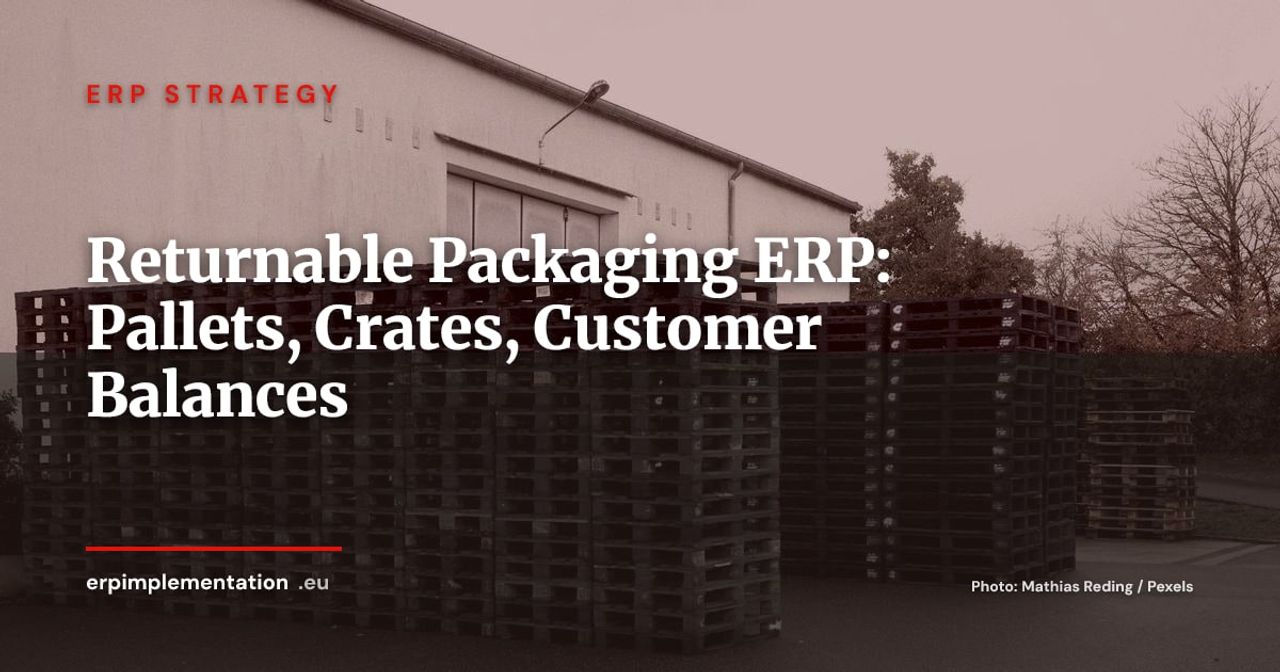
A pallet, a plastic crate, a keg, a collapsible box: every reusable container you ship is an asset that leaves your premises. If your ERP does not know where it is, nobody does. It sits at a customer, a carrier or a third-party warehouse, and it reappears (or not) at the next stock count as a variance that gets written off as a loss.
This guide is for CFOs and logistics managers at mid-market companies in distribution, manufacturing and beverages. It covers the cross-industry mechanics: how to model the container, keep a container account per customer and per site, invoice and refund deposits, account for losses, and chase balances. Brewing-specific topics (excise duties, lots) are covered in our ERP guide for brewery and beverage producers, and the regulatory side of the circular economy in the ESPR, PPWR and WEEE compliance guide (French).
Why Lost Containers Are So Expensive
A lost container does not show up in the P&L on the day it disappears. It shows up three times, later and in a diffuse way:
- At repurchase: you must buy or rent pallets and crates to maintain the pool needed for shipments.
- In disputes: the customer challenges a balance it does not recognize, and nobody holds a signed delivery note to settle it.
- At closing: a container stock carried as an asset but impossible to find must be written down, and you cannot say which customer is responsible.
The root cause is almost always the same. The ERP manages the goods (quantity, price, lot) and treats packaging as an accessory of the order line, or even a plain packing cost. It therefore manages neither its life cycle, nor its location, nor its owner.
The European EUR-pallet pool is so decentralized that even the number of pallets in circulation is only a very broad estimate (Wikipedia, EUR-pallet). Your own pool, however, must be countable to the unit.
Modeling Packaging: Deposit Item, Stock Item, Container Account
Before designing any flow, decide what a container is in the item master. Three objects coexist, and confusing them is the first source of variances.
The stock item (the container itself). This is the physical asset: EPAL pallet, 600x400 crate, box, keg. It has a reference, a unit of measure (each), possibly an acquisition value and a useful life. It is tracked by quantity, rarely by serial number (except high-value containers such as kegs or frames).
The deposit item (the billable line). This is a separate service reference linked to the container. It carries the deposit price, its GL account and its VAT code. Never invoice the deposit within the price of the goods: it must appear on its own line so it can be refunded or adjusted separately.
The container account (the balance per third party). This is the register that answers the question: “How many pallets of this type does this customer owe me today, at this delivery site?” It is fed by deliveries and returns, and it is neither a general ledger account nor a stock of goods. Depending on the ERP, it is configured as third-party stock, as a deposit account, or as a native packaging module. In all three cases the requirement is the same: one balance per container, per third party and per site.
The minimum setup of the container record:
- a packaging type (exchangeable such as EPAL, invoiced deposit, free loan, single-use written off) that drives the flows;
- the deposit price per customer or price list, and its allowed usage period before it is requalified as a sale;
- the grouping unit (a pallet holds N crates, a crate holds N bottles) to avoid double counting;
- the accounts for stock, deposit owed and income on non-return.
Stock at the Customer and at the Carrier
The container you delivered is still yours, but it is no longer with you. You need a third-party stock mechanism, like the one described in our guide to consignment and vendor-managed stock: a logical location per customer, excluded from availability and from replenishment calculations.
Three rules prevent most disputes.
Keep the balance per delivery site, not just per customer. A retail group with twelve platforms will not send its pallets back to the same place. If the balance is consolidated at head office, you will never know which platform kept what. The container account is therefore attached to the delivery address, with possible consolidation by legal entity for invoicing.
The carrier is a holder in its own right. When a carrier takes pallets to deliver, it must appear as a holding third party for the duration of transport and for the returns it brings back. Without this, containers “in transit” form an ownerless balance that nobody reconciles.
Warehouse third parties count too. If you use a 3PL, its containers and yours get mixed. The ERP/WMS boundary, discussed in our comparison native WMS, best-of-breed or 3PL, also decides who keeps the container account: a clear rule in the contract avoids two contradictory balances.
Flows: Delivery, Return, Pallet-for-Pallet Exchange, Invoicing and Credit Notes
The core of the setup comes down to five flows. Pallet exchange follows a simple principle: the EPAL system relies on “pallet for pallet” exchange, where goods delivered on EUR pallets trigger the return of an equal number of pallets (Wikipedia, EUR-pallet). Other container types follow the rule you set by contract.
| Flow | ERP event | Effect on the container account | Accounting entry (principle) |
|---|---|---|---|
| Delivery with pallet-for-pallet exchange | Delivery + exchange recorded at the dock | Customer balance unchanged if exchange is complete, adjusted by the gap otherwise | None if exchange is equal; otherwise adjustment of the gap |
| Delivery with invoiced deposit | Deposit line on the invoice | Customer balance increased by the quantity delivered | Debit receivable, credit deposits received (depending on VAT treatment) |
| Return of deposit containers | Return receipt, condition check | Customer balance decreased by the quantity accepted | Debit deposits, credit receivable (refund credit note) |
| Container not returned after the usage period | Switch to sale or invoiced loss | Balance closed, container removed from the pool | Recognition of disposal income, removal from fixed assets or stock |
| Container returned damaged | Receipt with status “to repair” or “scrap” | Balance decreased, container routed to repair or scrap | Partial refund, refurbishment cost |
A few setup points make the difference.
Dock exchanges must be recorded, not assumed. Pallet exchange is a dock gesture: the driver drops N full pallets and leaves with N empty ones. If it is not recorded (ideally by scan or a signed, digitized delivery note), the balance drifts. The golden rule: no balance without a document.
Quality matters as much as quantity. A broken pallet is not equivalent to a sound one. The return must carry a status (good, to repair, scrap), otherwise you take back containers you cannot ship again.
The refund credit note must reference the original deposit. Refunding a deposit without linking it to the original invoice makes reconciliation impossible. Use a credit note linked to the deposit invoice or period, with the same accounts and the same VAT code.
Accounting: Income, Expense, Provision, VAT on Deposits
Accounting for returnable packaging needs joint attention from the CFO and the external accountant, because treatment depends on the nature of the container (fixed asset, inventory, consumable) and on the country. The following principles are a basis for discussion, to be validated with your accounting firm.
The container: fixed asset or inventory. A durable, reusable container (pallet, keg) that remains company property generally falls under fixed assets or packaging inventory, depending on its value and tracking. The choice determines depreciation and stock counts. Set it once, per family, in the configuration.
The deposit received: a liability, not revenue. As long as the container may be returned, the deposit collected is an obligation to refund. It must therefore stay in a dedicated liability account, not in income. It becomes income only on non-return.
The loss provision. Containers that remain unreconciled for a long time (old disputed balance, defaulting customer) justify a provision. The ERP must produce balance ageing to support it: without that report, the provision rests on a global estimate that is hard to defend in an audit.
VAT on deposits. In France, Article 267-III of the General Tax Code provides that sums received on delivery of returnable packaging may be excluded from the taxable base provided the corresponding VAT is not invoiced. These sums must be added back to the base when the packaging has not been returned within the periods customary in the trade (text of Article 267 CGI). In practice, the ERP must therefore carry two treatments: a “deposit outside the base” VAT code for the initial invoice, and a switch at the usage deadline that requalifies the deposit as a taxable sale. For the official text and administrative guidance, refer to BOFiP-Impôts (VAT, taxable base) and Légifrance. Rules differ in other EU countries: do not copy the French setup to your subsidiaries without local validation.
Reconciliation and Reminders: Balance Gaps and Disputes
Two balances always exist in parallel: yours, from the ERP, and the customer’s, from its own tracking. They diverge. The challenge is to compare them regularly.
An effective reconciliation cycle has four steps:
- Periodic statement: the ERP issues, per customer and per site, a container statement (delivered, returned, balance, age) at a fixed interval, at least quarterly.
- Customer confirmation: the customer confirms or disputes. Any dispute opens a case attached to the relevant delivery and return notes.
- Settlement: once the gap is accepted, there are two outcomes: the customer returns the containers, or you invoice the non-return at the agreed price.
- Graduated reminders: balances that exceed the usage period enter a dunning process, like a receivable, with escalation levels and a possible block on new deposit deliveries.
Make this process visible to the sales team. A high container balance at a strategic customer is a negotiation topic, not just a logistics one. Container reminders must be coordinated with invoice reminders, otherwise a customer that pays its deposits late slips under the collections radar.
TMS, WMS, Customer Portal and EDI Integration
Container balances are created at the dock and at the carrier. The ERP will only keep them accurate if they flow up automatically from the execution systems.
- WMS: records pallets shipped and received per delivery note, with a quality status on return. It feeds the container account in near real time.
- TMS: links containers to the carrier and the route, and traces exchanges carried out at the customer.
- Customer portal: gives the customer its balance per site, its movements and a way to confirm or dispute online. It is the best answer to disputes: the customer sees what you see.
- EDI: some retail customers send return or receipt advices for containers. Plan the mapping of these messages to your movements, with explicit rejection of unknown lines rather than silent creation of a balance.
An architecture rule: a single system holds the reference container account. If the WMS and the ERP each keep a balance, they will contradict each other. Designate the data master, often the ERP for the balance per third party and the WMS for the dock movement.
KPIs: Return Rate, Turnover, Loss
Three indicators are enough to steer, provided they are calculated per container family and per customer.
- Return rate: containers returned relative to containers delivered over the period. It reveals the customers and sites that keep your containers.
- Turnover (cycle time): average time between a container’s shipment and its return. A lengthening cycle signals future losses and a larger required pool.
- Loss and breakage rate: containers removed from the pool (not returned, scrapped) relative to the total pool. Track it with its replacement value, which feeds your provision.
Add a balance ageing indicator (under 30 days, 30 to 90 days, beyond), modeled on the receivables aged balance. Set your alert thresholds from your own history: no generic benchmark replaces your own data.
Multi-Site Case: An Illustration
Take an industrial distributor with three warehouses, delivering to customers that themselves have several platforms. The same customer receives pallets from warehouse A on Monday and warehouse B on Thursday, at two receiving sites.
If the container account is kept per shipping warehouse, the customer will return pallets to the nearest one, and two balances will appear: positive on one side, negative on the other, with a correct total but disputes at every statement. The right setup consolidates per customer, per delivery site and per container type, across all shipping warehouses, with returns accepted at any warehouse. The return movement credits the same account, whichever dock receives it. This choice, simple to state, is the one most often forgotten at implementation.
Common Mistakes and Setup Checklist
The mistakes we see most often:
- Deposit buried in the price of the goods, making it impossible to refund or adjust separately.
- Balance kept at customer level rather than delivery site level.
- Dock exchanges not recorded, with balances rebuilt at quarter end.
- No usage deadline, so no tax switch and no reminder is triggered.
- Two systems each holding a balance (ERP and WMS) with no data master.
- No quality status on return, hence containers taken back but unusable.
Setup checklist:
- One stock item, one deposit item and one grouping rule per container family.
- One packaging type that drives the flow (exchange, deposit, loan, loss).
- One container account per customer, site and type, fed by documents.
- A deposit VAT code and a switch at the usage deadline, validated by the accountant.
- A liability account for deposits received and a provisioning rule.
- A periodic statement and a reminder process.
- A data master across ERP, WMS and TMS.
- Three KPIs and a balance ageing report.
To turn this checklist into a comparison grid for your next ERP selection or review, download our ERP evaluation grid: 30 criteria to compare three vendors side by side, including logistics flow management.